1. 개발환경(yarn + sts4)
.
1.0 sts4에서 Terminal 터미널 띄우기
파파일일 이렇게 글자가 두개씩 나오다가
Open Terminal 띄우면 Encoding : MS949
Terminal Window에서 우측클릭해서 Switch Encoding UTF-8
한번 설정하고 나니까 다음부터 UTF-8로 잘 나옴(......?)
1.1. nodejs 설치 : LTS(Long Term Support?) 로 다운로드
1.2. yarn 설치 : facebook에서 만든 셋업 플렛폼, npm 보다 빠르다?
$ npm install -g yarn1.3. create-react-app 글로벌로 설치
$ yarn global add create-react-app1.4. sts4 에서 plug-in 설치 :

2. 실습
.
투두리스트 만들기 실습 링크 <-- 실습으로 이거 따라할 것임.
근거 : 추천툴체인
2.1 create-react-app을 이용해서 새로운 패키지 생성
$ npx create-react-app todo-list어째선지 create-react-app 이라고 치면 안되서 찾아 보니 npx 라는 명령을 통해서 실행할 수 있었음 npx가 뭐임?
npx가 뭐길래?( geonlee.tistory.com/32 )
모르겠고 다음.. 실행해봄
C:\dev\workspace\sts4\todo-list>yarn start
yarn run v1.22.10
$ react-scripts start
Compiled successfully!

You can now view react-hello-world in the browser.

  Local:            http://localhost:3000
  On Your Network:  http://192.168.10.239:3000

Note that the development build is not optimized.
To create a production build, use yarn build.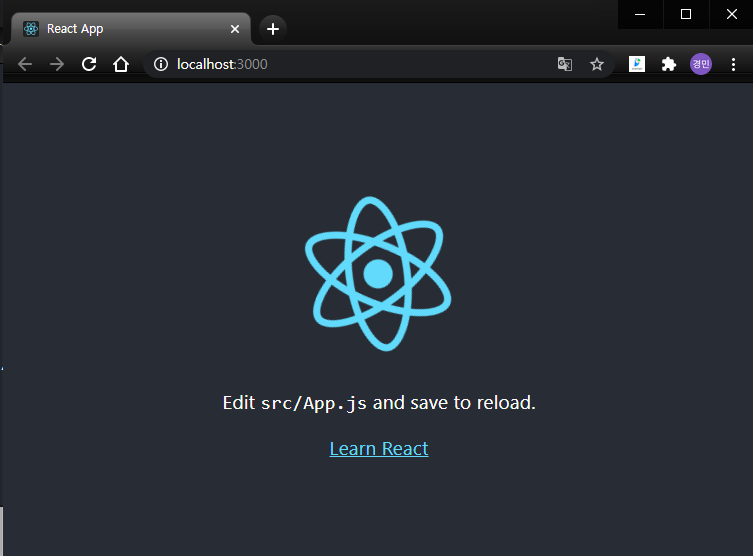
2.2 sts4에서 프로젝트 Import...
General > Project from folder or Archive
todo-list 선택
show other specialized import wizards 클릭
CodeMix > Import Settings and Extensions 선택
todo-list 밑에 package.json 선택
2.3 투두리스트 실습 따라하기...
투두리스트 만들기 실습따라하고 있는데 jsx 설명은 무슨말인지 모르겠음... jsx 공부할 필요 있음?
일단 쭉쭉따라해봄
와... classname 이렇게 쓰면 안됨 className 이렇게 써야함 camelCase 주의...
투두리스트 만들기 따라하기 계속...